Attendance + schedule
Compare the shift that applied with the arrival, break and leave record that actually happened.
New Worklix brings monitoring, time tracking and collaboration into one workforce platform.
See pricing
Workforce reviews move faster when attendance, schedules, time records and manager changes stay attached to the same employee and workday.
Compare the shift that applied with the arrival, break and leave record that actually happened.
Keep manual edits, approvals and the reason for a change visible beside the original record.
Show which manager or admin could review a record and who made the next change.
When HR or operations revisits a record later, the schedule, edit reason, approver and final outcome should still read as one traceable story.
Not every late arrival, long shift or manual edit is a compliance problem. Give reviewers the surrounding schedule and approval context before the record becomes an exception.
Apply the work rule that belongs to the team, location or schedule being reviewed.
When a record changes, keep the approval note close enough to explain why.
Assign the open item to the person who can verify the schedule, approve the change or document the reason before the review closes.

Separate the people who manage day-to-day attendance from the people who can review broader records, exports or workspace settings.
Keep department review, exports and role changes separate from everyday attendance work so access stays easier to explain and audit.

Monitoring and workforce records can carry sensitive context. Define what is useful for your process, who can access it and how long it should remain available.
Choose the workforce records that support a defined operational or policy need.
Keep broader access with roles that have a genuine review responsibility.
Align storage windows with internal policy and applicable legal guidance.
Keep the retention owner, review date and policy rationale visible so the setting can be reassessed instead of forgotten.
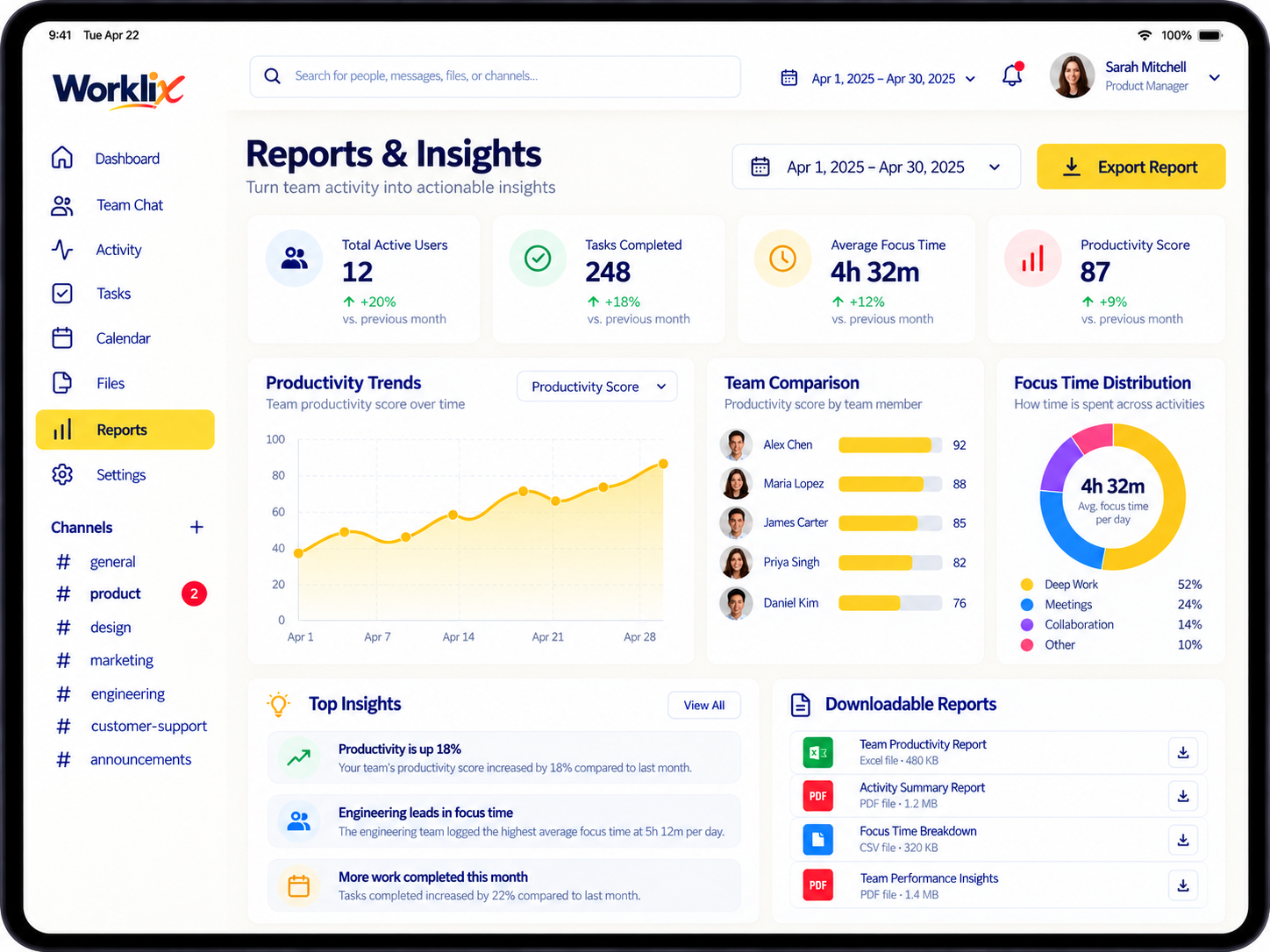
Use one reporting layer for attendance, work hours and exceptions so HR, operations and managers do not assemble evidence by hand at the end of the month.
Move by team, employee, date range or exception type.
Pair the summary with the correction or manager note behind it.
Share the relevant record instead of exposing the entire workspace.
Worklix can support internal compliance workflows, but your organization remains responsible for policies and legal requirements that apply in each jurisdiction.
Use connected workforce records to support policy review without turning every signal into a compliance event.
Attendance, schedules, work hours, breaks, manual corrections, approval history and access records can all provide useful operational context when they are relevant to the policy being reviewed.
Yes. Role and department permissions can be used to keep routine workforce visibility aligned with the manager's actual responsibility.
No. Worklix can organize workforce records and review workflows, but your organization should define policies and legal requirements with qualified HR, privacy and legal guidance for the jurisdictions where you operate.
A visible correction trail makes it easier to understand what changed, who approved it and why, which can reduce ambiguity during internal reviews or disputes.
Bring time, attendance, permissions, reports and review context into one connected workforce platform.