
See live regional statusKnow which teams are active, where coverage is thin and what needs attention now.
Operate the network from one control point
01
02
03
Run one global operationinstead of local check-ins.
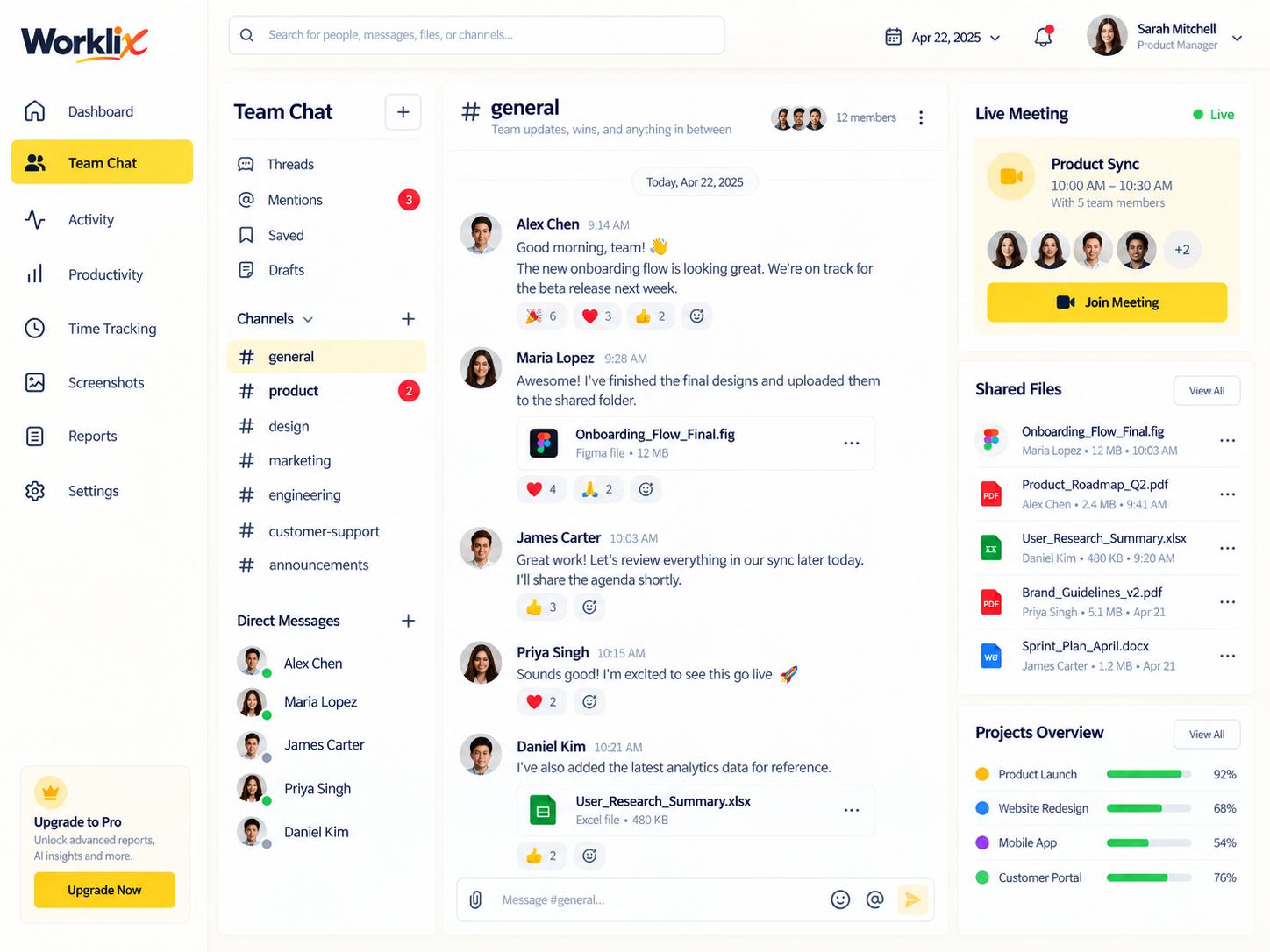
Regional leads should not have to rebuild the same status update every few hours. Worklix keeps coverage, active teams, open handoffs and review items together so managers can understand the network in one pass.
Follow handoffs in contextKeep the owner, note, file and next action visible as work moves between regions.
Review exceptions firstSurface late work, workload pressure and open approvals without reading every local update.
Global operations consoleToday · All regions
LiveSingapore12 active · queue stable
94%HealthyLondon18 active · 2 reviews due
97%ReviewNew York16 active · 3 handoffs ready
93%HealthyLahore9 active · support steady
98%Healthy
Use overlap time where it matters
01
02
Know when regions overlapbefore calendars collide.
Track planned hours beside each region so live meetings happen inside the overlap window and asynchronous work stays asynchronous. The goal is fewer interruptions, not more global meetings.
Protect local focusUse the overlap window for decisions and blockers instead of routine updates.
Plan the handoffLeave the next owner, file and open question visible before a shift ends.
14:00Shared overlapLondon ↔ New York
Best use of this windowApprovals + live decisionsKeep routine updates async and reserve the shared window for blockers, escalations and decisions that need both regions.
Singapore08:00–17:00 SGT
DoneLondon09:00–18:00 BST
LiveNew York09:00–18:00 EDT
StartingBest live window14:00–16:30 BST · use for approvals, escalation and high-context decisions.

Live when interaction matters.Async when information only needs to move.
Keep async work from becoming invisible work
Async updateRecord the progressMessage, file, note or short walkthrough with the next action attached.
Live decisionUse the overlap windowBring the people who need to decide, then write the outcome back into the work.
Separate updates fromdecisions that need the room.
Distributed collaboration works better when status updates can move without a meeting and live time is reserved for debate, feedback and decisions. Keep both types of work inside the same record.
Balance capacity before service slips
See where the workload isactually landing.
Compare region-level demand, focus and available capacity before one team becomes the default place every urgent task gets dropped.
Recommended moveRoute late-day follow-ups into the APAC buffer before the next US shift begins.
Turn the workday into review-ready proof
01
02
03
Give leaders the contextwithout opening every tool.
Reports should explain what happened across people, regions and workflows. Keep time, activity, attendance, files and manager notes close enough to support the next decision.
Daily operations summaryCoverage, attendance, activity and workload in one exportable view.
Client-ready evidenceAttach the report and linked work without exposing unrelated teams.
Scoped manager reviewKeep role and department boundaries intact while the work stays understandable.
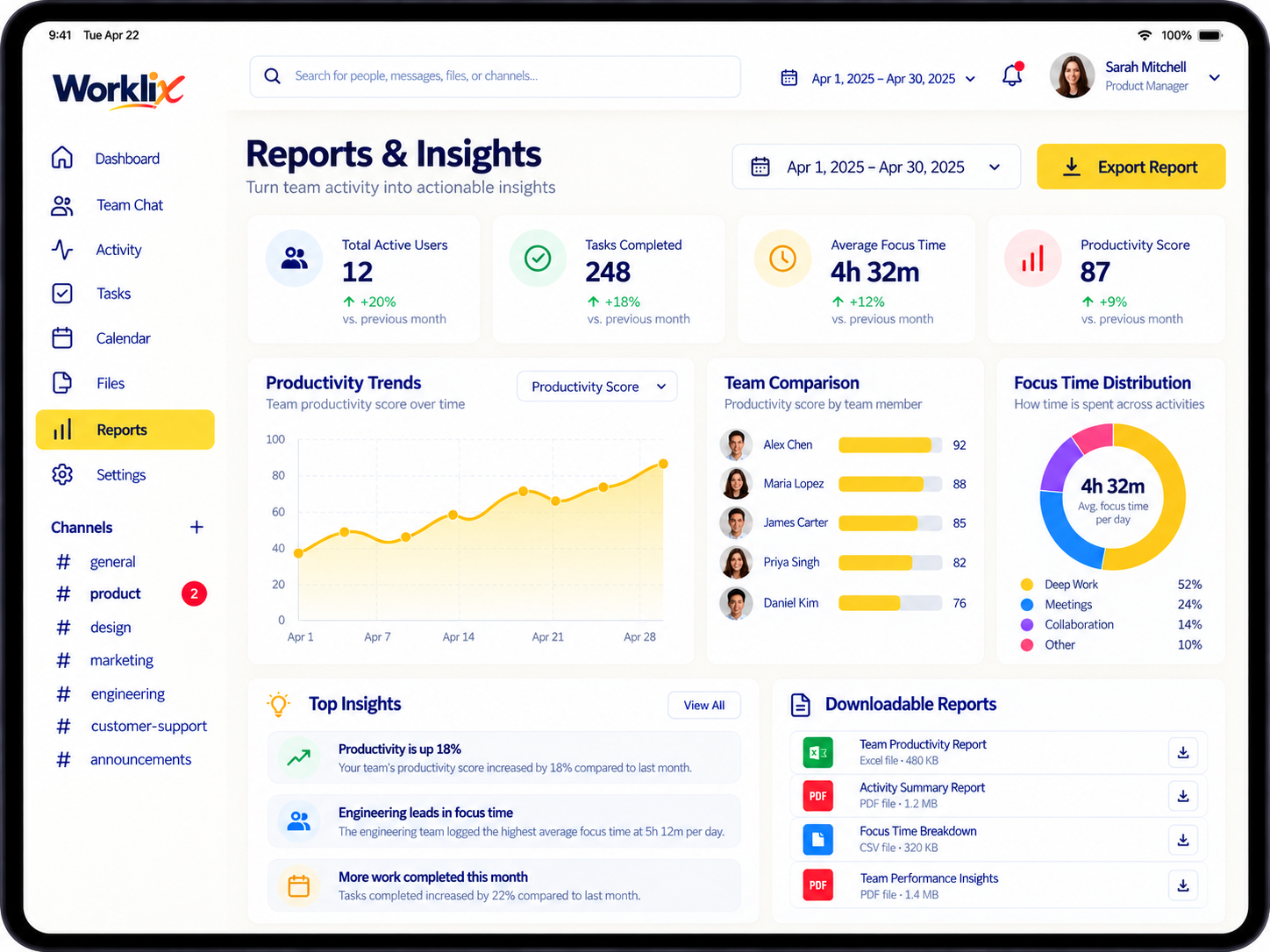
Ready to reviewGlobal weekly summary6 regions · 42 employees
Useful visibility, clean boundaries
Show managers what helpsand protect the rest.
Distributed visibility should stay role-based. A manager can understand attendance, activity and work context without seeing unrelated departments or workspace-wide controls.
Distributed Teams FAQ
Run distributed teams withclearer context and less chasing.
Use one connected system for time, communication, workload visibility and handoffs across regions.
How does Worklix help distributed teams stay aligned?
Worklix keeps time, attendance, handoffs, activity context, files and team communication connected so distributed managers can understand the day from one operational view.
Can Worklix support teams across multiple time zones?
Yes. Worklix helps distributed teams keep handoffs, ownership and shift updates readable across time zones so the next region can continue work without rebuilding context.
Can managers review workload before service quality drops?
Yes. Coverage, activity and workload patterns can reveal pressure early so leaders can rebalance staffing before queues, deadlines or response times slip.
How does access stay controlled in a distributed company?
Role and department permissions help managers see the people and operational records they own while sensitive admin controls and unrelated departments remain protected.
One connected product
Run distributed work withoutsplitting visibility across tools.
Bring time, handoffs, attendance, updates and reports into one workforce platform.