
Read the workday patternSee active time, breaks and expected hours together.
Remote work, read in context
01
02
03
See the workday clearlywithout constant check-ins.
Bring time, attendance, app use and availability into one practical view so managers can understand the day before asking for another update.
Keep tool context nearbyUnderstand which apps support the current workflow.
Know when follow-up mattersUse exceptions and changes to guide the next conversation.
AM
WorkingREMOTE EMPLOYEEAmanda Moore
9 AM12 PM3 PM6 PM
Design review completedFigma · 48 min
Break recordedSchedule aligned
Project work resumedJira + Chrome
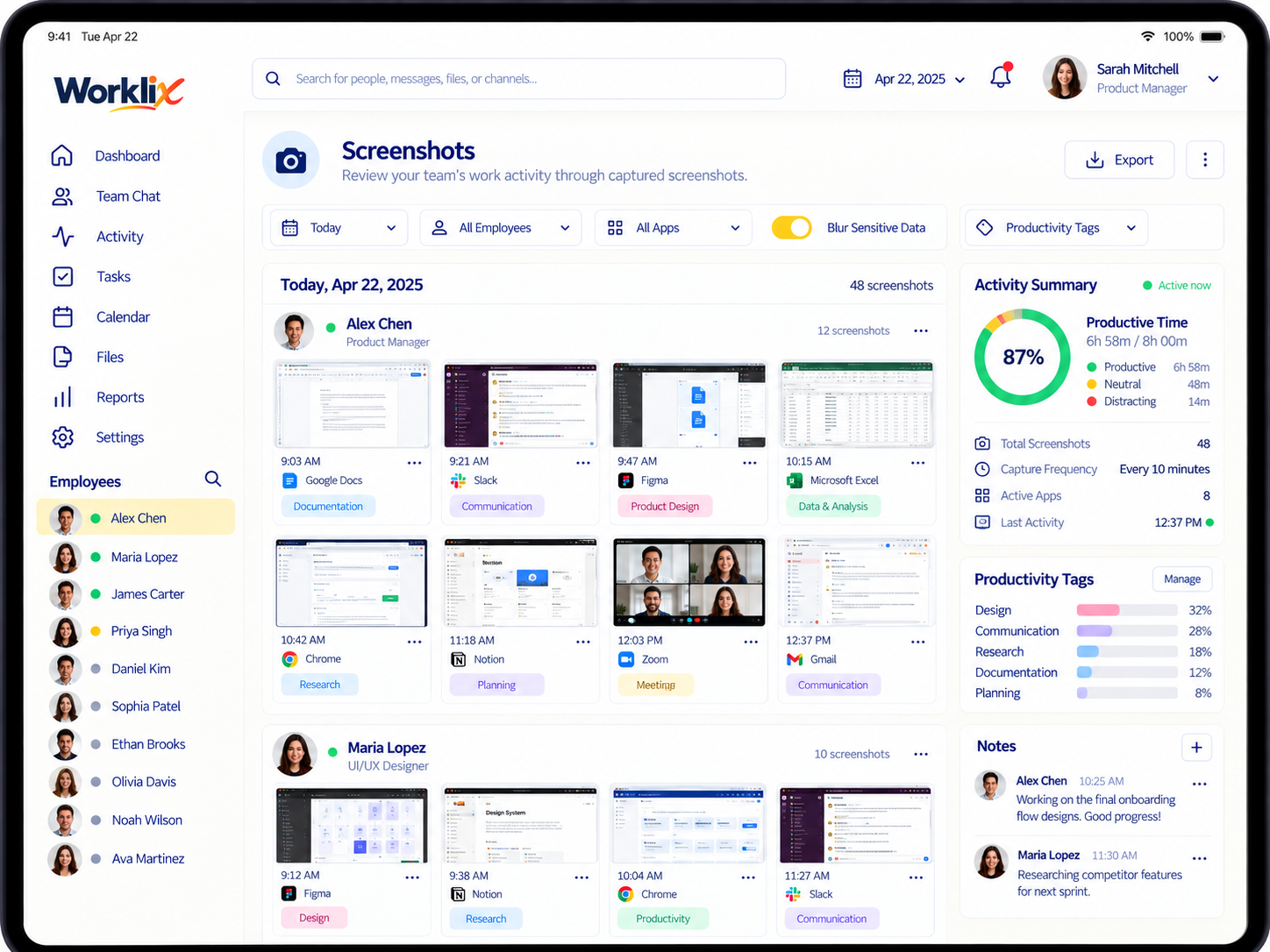
Screen context without constant surveillance
Use screenshots as evidence,not as the whole management system.
Optional screen captures are most useful when they sit beside time, task and app context. That turns a screenshot into a supporting signal instead of a substitute for management.
Classify tools by the work they support
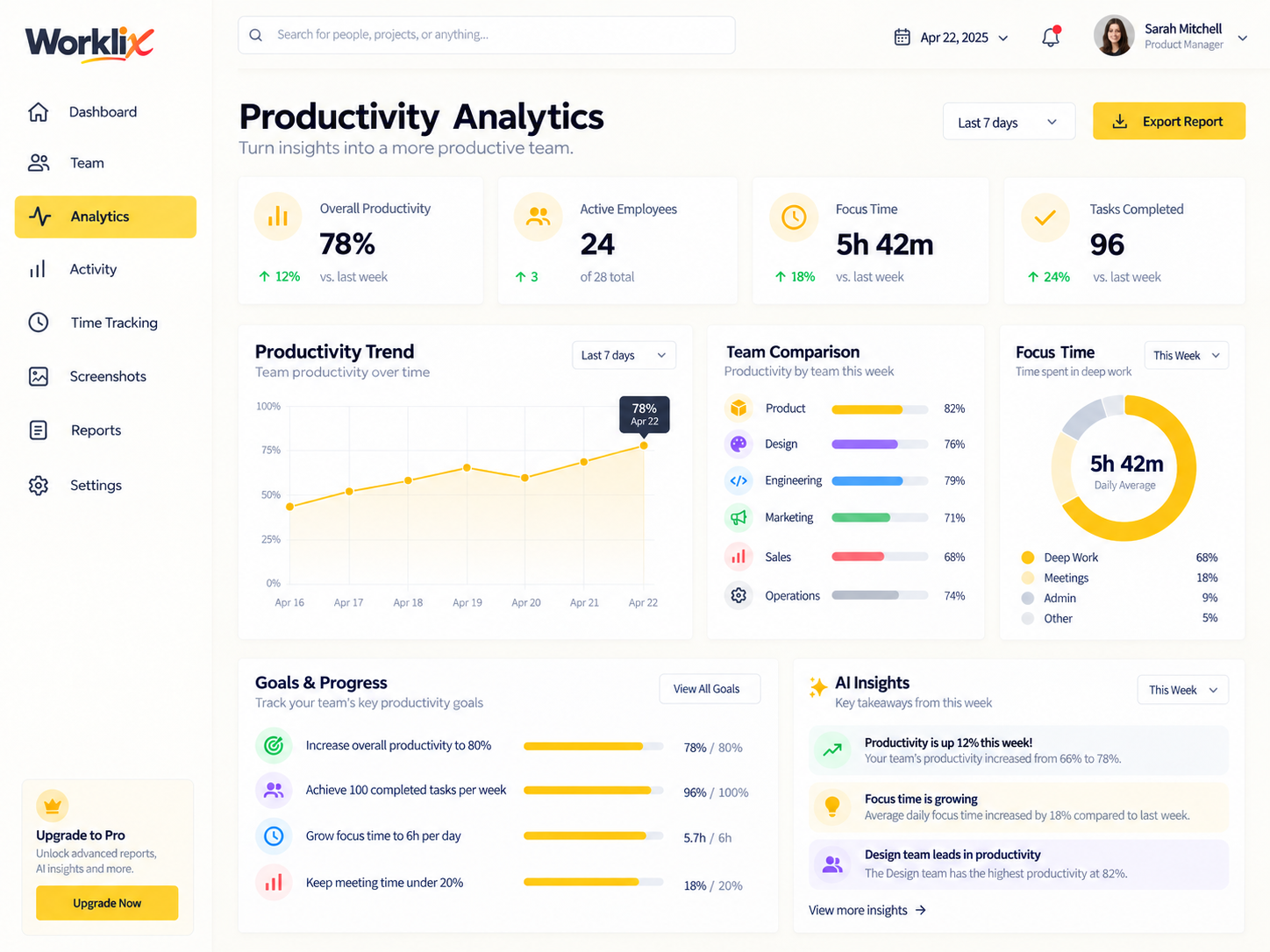
See which tools support workand which need review.
App and website activity is most useful when it reflects the team's actual role. Worklix separates core tools, communication and unclassified activity so managers can investigate the right thing instead of judging everything the same way.
Core work toolsCommunicationNeeds review
Explore App Tracking
Application reviewProduct team · Today
7h 13m trackedFigmaDesign & product
JiraProject management
SlackCommunication
Unclassified sitesReview category

Visibility with boundaries
Policy-based screenshotsUse optional or blurred capture where the role and policy require it. Role-aware manager accessShow team managers the people they own, not every employee in the company. Employee-facing contextMake time and productivity records readable to the people being measured.
Monitor what helpsand keep boundaries clear.
Remote monitoring works better when employees know what is captured, managers know why it is useful and access is limited to the people responsible for the work.
Notice change before it becomes a bigger issue
Use alerts for exceptions,not for every normal workday.
Flag unusual patterns such as sustained idle time, unexpected app use or attendance gaps while letting normal days stay quiet.
ATTENDANCELate start beyond schedule
ReviewCompare the alert with the assigned work schedule before following up.
ACTIVITYIdle pattern changed sharply
ContextCheck breaks, meetings and task context before assuming a productivity issue.
APPLICATIONSNew tool appears repeatedly
ClassifyClassify the app for the team before marking the pattern productive or distracting.
A manager view built around responsibilityReview by responsibilityManagers see the people, workday patterns and reports tied to their actual scope. Keep sensitive controls separateAdmin settings and unrelated departments remain outside the manager workflow.
Give managers useful contextwithout opening every team.
Keep the remote employee view scoped to the team, department or project a manager is responsible for. Sensitive settings and unrelated records can stay protected.
PM
12 employeesMANAGER VIEWProduct Team
Workday activityProduct team only
Time & screenshotsPolicy controlled
Team reportsProduct team only
Other departmentsProtected
Workspace adminAdmin only
Remote Employee Monitoring FAQ
Understand remote workwithout reducing it to one metric.
Use time, activity, screenshots and app context together so managers can ask better questions and protect employee trust.
What should remote employee monitoring include?
Useful monitoring can include time and attendance, active and idle context, app and website usage, screenshots where appropriate, workload patterns and role-based reporting.
Can screenshots be optional or limited by policy?
Yes. Screenshot monitoring is most useful when it can be enabled by team or role and used with clear privacy policies instead of applied blindly to every employee.
How should managers interpret idle time?
Idle time should be reviewed beside schedules, breaks, meetings and task context. It is a signal that may need explanation, not a complete measure of performance by itself.
Can managers see only their own teams?
Yes. Role and permission boundaries can keep managers focused on the employees and reports they are responsible for while unrelated records remain protected.
One connected product
Understand remote workwithout adding more admin.
Bring time, activity, screenshots, app usage and workforce context into one Worklix view.