
New Worklix brings monitoring, time tracking and collaboration into one workforce platform.

See pricing
BPO & Call Centers One connected workforce platform

Run high-volume support with evidence behind every shift.

Connect schedules, attendance, agent activity and client-ready reporting so supervisors can protect service levels without chasing separate systems.

✓ Shift & queue visibility✓ Client-ready proof✓ Role-aware operations
One live operations view

See every queue, shiftand client account together.

BPO leaders need more than call counts. Worklix keeps scheduled coverage, attendance, active work and client ownership close enough to explain what is happening while there is still time to act.

Queue pressureSee where active demand is outgrowing available coverage.
Schedule adherenceCompare planned staffing with who is actually online and working.
Client ownershipKeep every team, shift and account mapped to the right supervisor.
Work between callsInclude follow-up, CRM updates and case work in the operating picture.
Operations floorCustomer Support · Live
Monitoring
Agents online86 / 9294% coverage
Queue pressureModerate+8% vs plan
Schedule adherence91%On target
QueueAgentsPressureStatus
VIP Support18 / 18Stable
Billing14 / 16Watch
Technical31 / 34Stable
Outbound23 / 24Room
4 queues activeNext staffing review · 14:30
Protect delivery before escalation

Catch SLA pressure beforethe client sees the gap.

Real-time staffing, throughput and schedule context make service risk easier to spot before it turns into a missed commitment or an awkward client review.

91%schedule adherence
SLA healthOn target3 accounts stable
Watch listBilling queueDemand above plan
Capacity12h availableAcross two teams
Backlog18 ticketsDown 11% this hour
01
See throughput change early.Compare current volume with staffing and work completion while the shift is still live.
02
Separate a queue issue from an agent issue.Use team and account context before deciding where the actual bottleneck sits.
03
Leave evidence for the client review.Keep worked hours, schedule coverage and operational notes ready without rebuilding spreadsheets.
Understand the work around the call

Measure more thantalk time and handle time.

Call duration alone cannot explain why an interaction takes longer. A useful operating view also shows research, CRM updates, knowledge searches, follow-up work and the handoff that happens after the call ends.

01
Before the callOpen customer history, account notes and the right knowledge source.
02
During the callTrack the tools, research and escalation path used to resolve the issue.
03
After the callKeep CRM updates, summaries and follow-up actions inside the same review.
Agent work trailBilling queue · Amanda
14:12–14:29
Live interactionBilling adjustment requestCustomer verified · case #BR-4821
08:42call time
CRMCustomer history opened
2m 18s
Knowledge baseRefund policy reviewed
1m 06s
EmailConfirmation prepared
48s
Wrap-upCase note and disposition saved
1m 32s
Workflow completeEvery step remains attached to the interaction record.
Client-ready proof without the reporting scramble

Turn call-floor activityinto client-ready evidence.

Build a review trail from the same operating data supervisors already use: staffed hours, schedule coverage, workload notes and delivery outcomes.
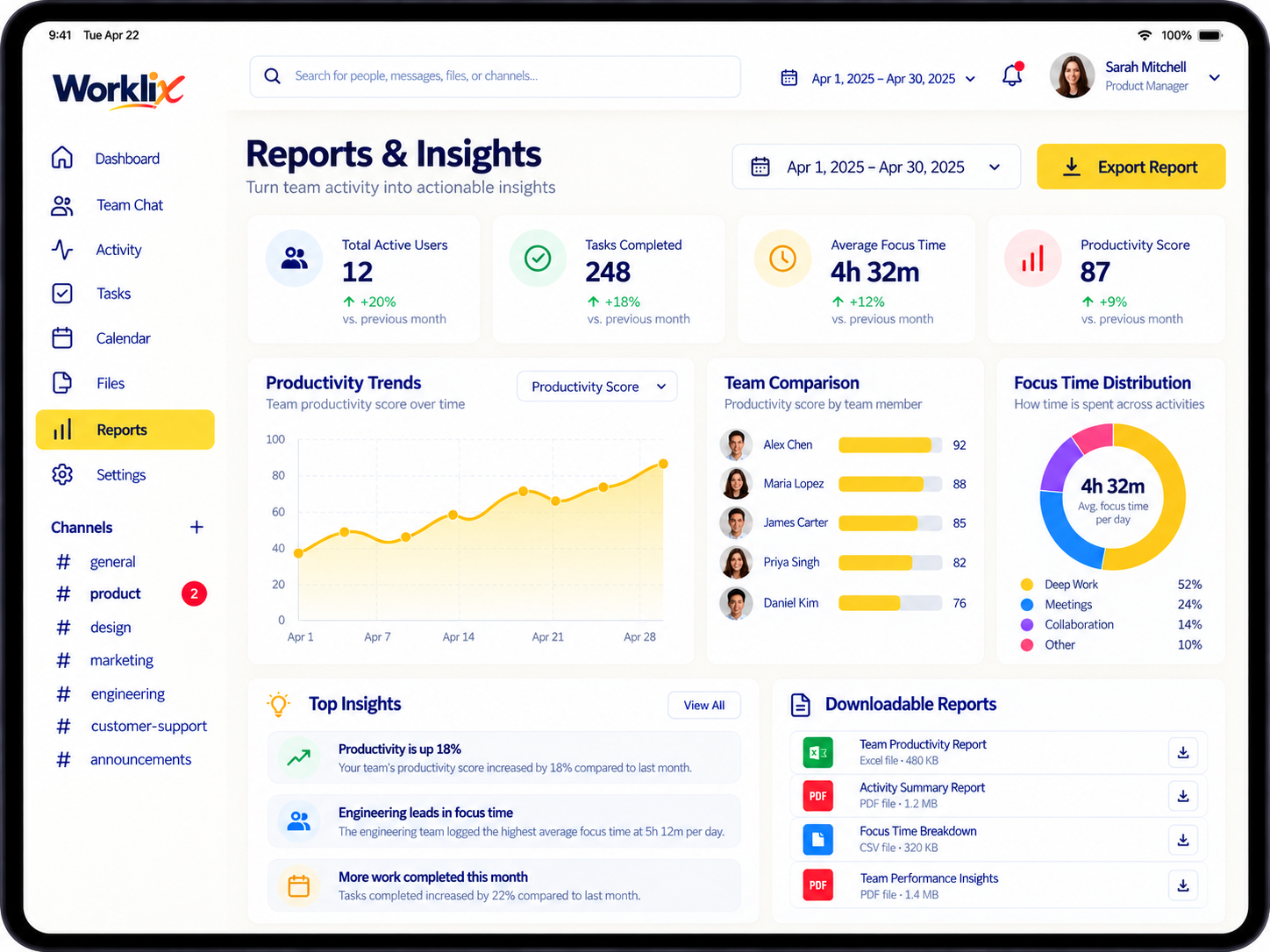
Worklix reports dashboard showing productivity trends, team comparison and downloadable workforce reports
Worked hours1,842h Schedule coverage94% SLA delivery97%
CLIENT-READY REPORTINGNorthstar Support · Weekly delivery evidenceSep 7–13
01
Hours with ownershipShow which team worked the hours and which client account they belonged to.
02
Coverage with contextKeep planned staffing and actual coverage together so gaps are explainable.
03
Notes beside the metricRecord the operational reason behind a spike, shortfall or staffing change.
04
One clean client reviewBring the evidence forward without rebuilding it in a separate spreadsheet.
Balance demand before the floor feels it

Match staffing to demandwithout burning out strong agents.

Use queue pressure, available capacity and repeated high-load patterns together so supervisors can move coverage before one team carries the whole shift.

Demand vs coverageCurrent shift
Next review 14:30
VIP Support18 agents · stable volume
68%
Billing14 agents · demand above plan
92%
Technical31 agents · steady demand
77%
Outbound23 agents · capacity available
51%
Returns11 agents · volume rebuilding
61%
RECOMMENDED MOVEShift 2 agents to Billing for 90 minutes.

Outbound still keeps 51% utilization, while Billing drops below the sustained pressure threshold.

+2 Billing-2 Outbound
LOAD WATCHRavi · 4 high-load shifts

Repeated pressure is visible before it becomes a retention problem.

AVAILABLE ROOM12 coverage hours

Use current capacity before extending strong agents into overtime.

One supervisor view, scoped to responsibility

Give supervisors the right contextwithout opening every account.

Supervisors should see enough to manage the shift without becoming workspace-wide admins. Keep client scope, queue health, staffing and reports visible for the accounts they own.

Account scope stays obvious.The selected client is always visible before a supervisor takes action.
Protected areas stay protected.Other client data and admin controls remain outside the role.
Operational context stays together.Queue health, schedule coverage and client reporting sit in one review path.
Escalation ownership stays clear.Supervisors can see the next responsible team without exposing unrelated client records.
NS
SELECTED ACCOUNTNorthstar Support
Supervisor view
Agents42
Queues3
Coverage94%
✓
Queue healthVisible · Northstar only
✓
Schedule coverageVisible · Northstar only
✓
Client reportsVisible · Northstar only
×
Other client recordsProtected
Role boundary active2 protected areas
BPO & Call Centers FAQ

Run high-volume teams withbetter proof and less guesswork.

Connect staffing, attendance, activity and client reporting without turning operations into another spreadsheet workflow.

What should BPO teams monitor beyond call metrics?

Call metrics are only part of the picture. Teams also benefit from schedule adherence, attendance, off-call workflow activity, workload, app usage and client-account context.

Can supervisors review performance by shift, team or client account?

Yes. Worklix can keep workforce context organized around the team, shift and account structures managers already use.

How can workforce visibility help with client reporting?

Worked hours, schedule coverage and operational activity create a stronger record for service reviews, billing discussions and delivery questions.

Can access be limited so managers only see the clients they own?

Yes. Role and permission boundaries can keep supervisors focused on their assigned teams and client records while protected controls stay with administrators.

One connected product

Run every shift withthe evidence already attached.

Bring scheduling, attendance, workforce activity and client-ready reporting into one Worklix operating view.