Direct and group chat
Move between one-to-one conversations and team discussions without losing message history.
New Worklix brings monitoring, time tracking and collaboration into one workforce platform.
See pricing
Organized chat works best when people can tell where a conversation belongs, who needs to respond and what files or follow-up are attached. Worklix keeps that flow close to the workforce context managers already use.
Move between one-to-one conversations and team discussions without losing message history.
Keep shared documents and supporting context close to the messages that explain them.
Keep follow-up attached to the right conversation instead of scattering decisions across separate threads.
Use the same communication space for direct messages, group conversations, files and follow-up, then move into calls or screen sharing when the conversation needs more than text.
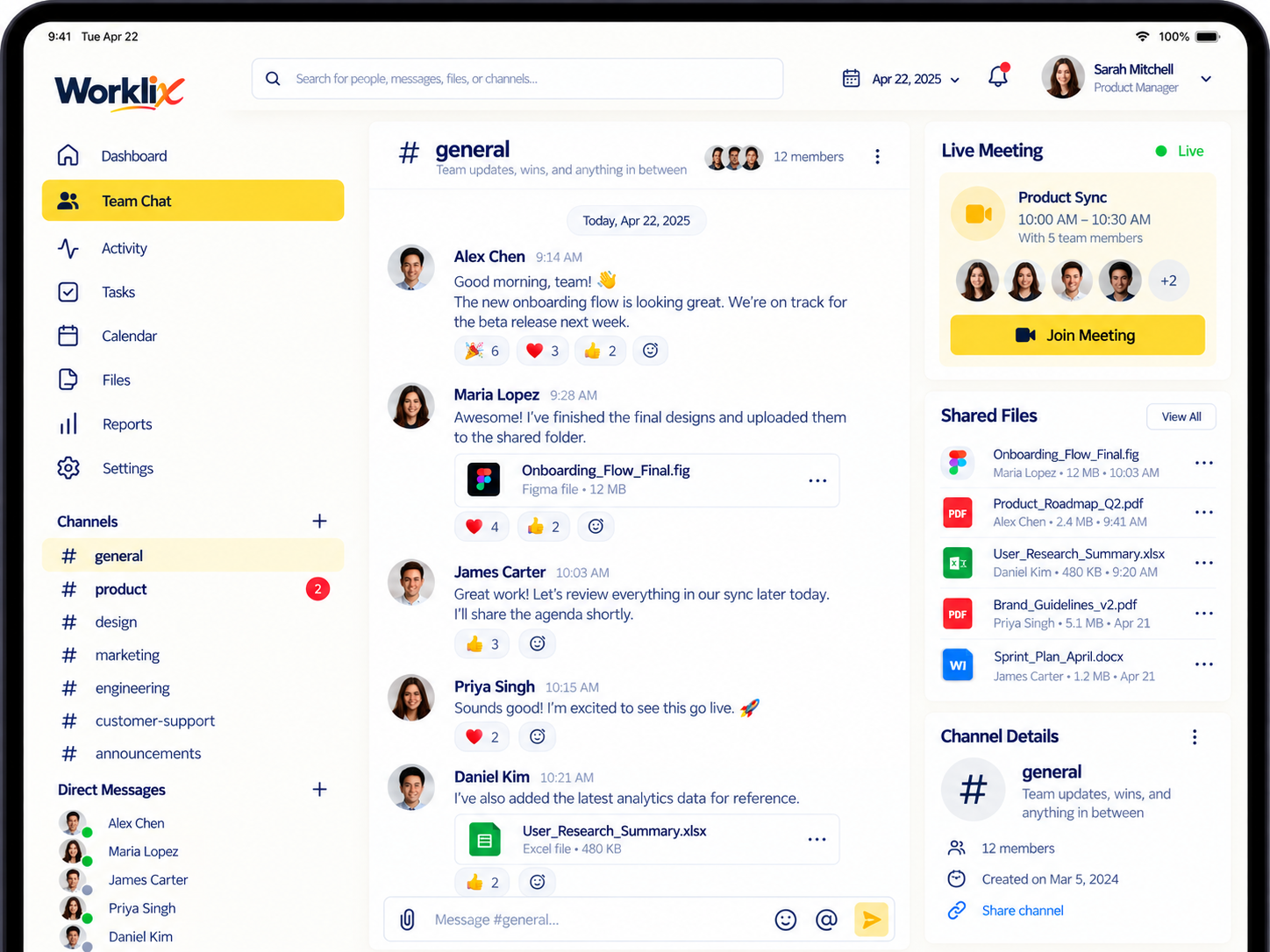
Keep fast questions, team updates and shared files organized without turning every message into another meeting.
Talk one-to-one when the update belongs to one person, while keeping the conversation available in the same workspace.
Can you confirm the onboarding access before 3 PM?
Bring departments or working groups together around an update, handoff or operational decision.
Today’s escalation notes are pinned above for the late shift.
Share supporting material inside the conversation so the file and the reason it matters stay close together.
Shared in #operations · reviewed by 6 people

Dedicated chat tools are useful, but workforce teams often spend extra time jumping between attendance, activity, files and messages. Worklix keeps communication close to those workflows so managers can move from a question to the right context faster.
Know which team, employee or workflow the conversation belongs to.
Use direct or group chat to resolve the issue without creating another email chain.
Start a call, share a screen or attach a file when text is not enough.
Worklix keeps chat connected to calls, screen sharing and files so the team can change communication mode without losing the reason the conversation started.
Start with the quickest update.
Move into a live conversation.
Show the work when words are not enough.
Keep supporting material with the decision.
Use Worklix Team Chat for direct messages, group communication, shared files and follow-up inside the same workforce workspace.
Yes. Team Chat supports direct employee-to-employee communication inside the Worklix workspace.
Yes. Teams can keep group conversations organized around the people and operational context involved.
Yes. Worklix supports file sharing alongside team communication so supporting material can stay attached to the discussion.
Chat is part of the same collaboration layer as voice and video calls, screen sharing and file sharing, so teams can move into a richer communication mode when needed.
Bring messages, files, calls and screen sharing into the same workforce platform your managers already use for people, time and operations.