
Escalate from chatMove a team conversation into a live call when text is no longer enough.
Live communication without another handoff
Start the call where theconversation already lives.
When a message needs a faster answer, teams should not have to copy context into a different meeting tool. Worklix keeps voice and video close to the same people and collaboration flow, helping the conversation move forward with less friction.
Bring the right people inKeep participants tied to the team and directory already inside the workspace.
Share the work directlyUse screen sharing when the fastest explanation is the work itself.
AM
Amanda MilesOperations Manager · Speaking
RJRayan JonesSupport Lead
LHLena HartPeople Ops
DKDaniel KimTeam Supervisor
Conversation controls that stay practical
Give live conversations the controlsteams actually need.
Keep the call experience focused on the basics that help teams communicate clearly: voice, video, participant controls and screen sharing without turning the workspace into a separate conferencing product.
Keep the call tied to the team.
Live communication works better when it stays close to the people and conversation that triggered it. Worklix keeps the team, call purpose and follow-up path visible in the same workspace so employees can move from discussion to action without rebuilding context.
Start from the active team conversation.Keep participant roles visible during the call.Return to chat, files and follow-up in one flow.
Voice controls
Mute and unmute without leaving the call surface or searching through extra controls.
Video controls
Turn video on or off as the conversation changes from a quick answer into a face-to-face discussion.
Participant view
See who is in the conversation and keep the live discussion connected to the right people.
Screen sharing
Walk through the work directly when a shared screen is clearer than a long explanation.

Context before, during and after the callKnow who joined Start from the conversation Return to the workflow
Keep the live conversationconnected to the team.
Calls become more useful when employees know who is involved, why the conversation started and where the follow-up belongs. Keep that context inside the same workforce environment instead of spreading decisions across meeting links and disconnected communication tools.
Keep participant identity connected to the same employee directory and team structure.
Move into voice or video when the chat thread needs a faster decision.
Finish the call without losing the people, files and communication path that came before it.
From message to resolution
Keep live communicationinside the operational flow.
Use calls where they remove friction: when a question needs a quick answer, when several people need the same context, or when a screen walkthrough is faster than another round of messages.
Spot the blocker
A chat thread reveals the question that needs a faster conversation.
Resolve it live
Move the right people into voice or video without resetting the context.
Show the work
Share the screen when the fastest answer is a live walkthrough.
Return with clarity
Move back into the team workflow with the people and context still connected.
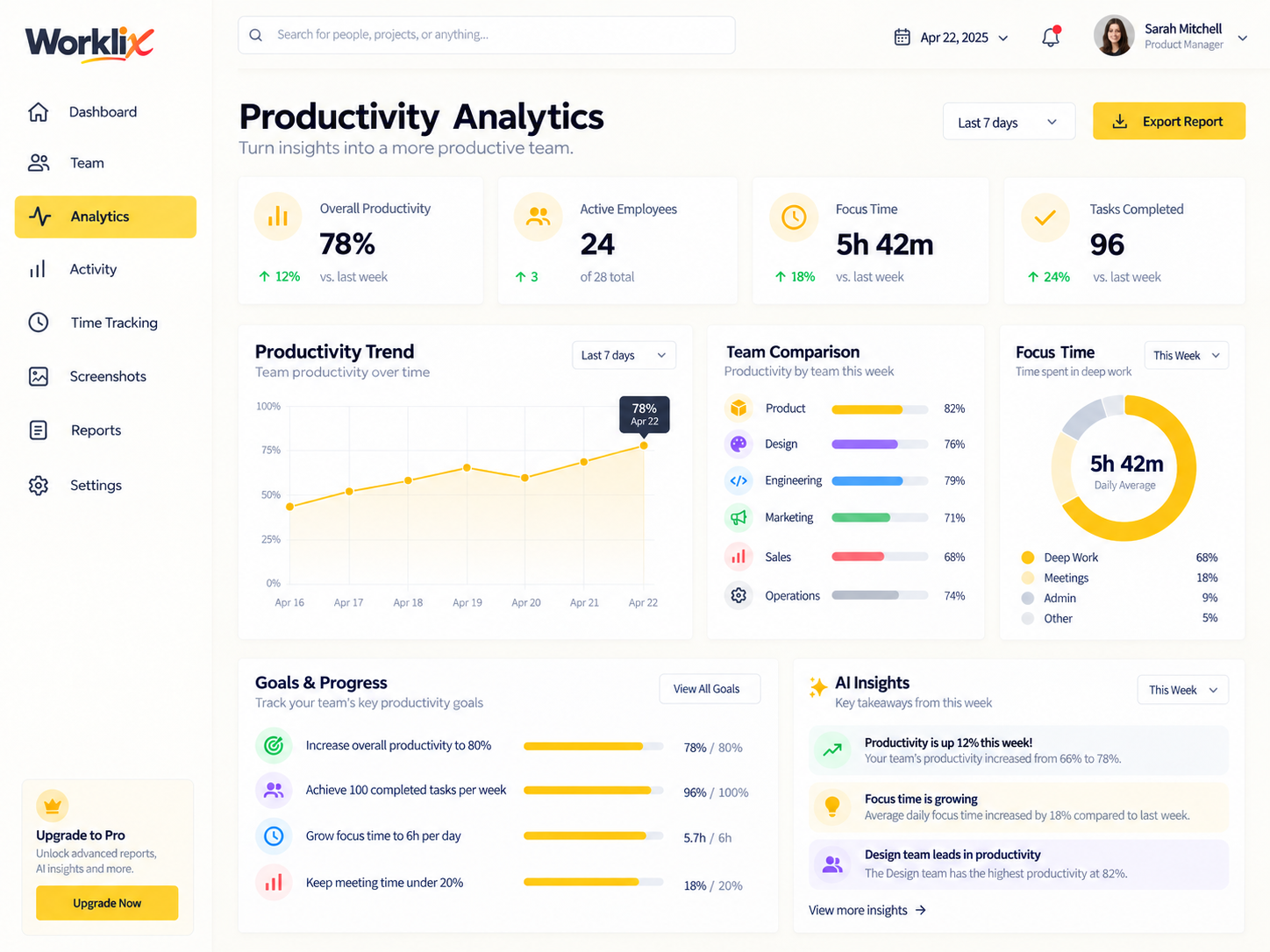
AMRJLHDK
Amanda is presenting the Worklix dashboardEveryone reviews the same live operational view.
Fewer disconnected handoffsFaster escalation Clearer remote coordination Shared visual context Less tool switching
Use calls to reducecommunication friction.
Voice and video are most valuable when they help the team act faster. Keep live communication connected to the same people and collaboration environment so questions can move from message to discussion to follow-up with fewer disconnected tools in between.
Move an urgent question from text into a live conversation without waiting for another meeting link.
Give distributed teammates a faster way to resolve complex questions together.
Use screen sharing when the work itself is the clearest explanation.
Keep communication inside the broader workforce platform instead of adding another tab for every handoff.

Live collaborationKeep remote conversations closer to the work they support.
ConnectedVoice and video questions
Keep live conversations simpleand connected to the team.
Use voice, video and screen sharing as part of the same communication flow employees already use inside Worklix.
Can employees start voice or video conversations from Worklix?
Worklix is designed to keep live communication close to the team collaboration flow so employees can move from written conversation into a faster voice or video discussion when needed.
Can teams use video for remote coordination?
Yes. Video calls are intended to help distributed employees collaborate when a live face-to-face conversation is clearer than another message thread.
Does Worklix support screen sharing during a call?
Screen sharing keeps the relevant work visible during the discussion, helping teams explain workflows, review results or troubleshoot together.
Why keep calls inside the workforce platform?
Keeping communication close to employee, team and collaboration context can reduce tool switching and make it easier to move from conversation back into the work.
Live communication, one workspace
Keep voice, video and team collaborationinside one connected workflow.
Give employees a faster path from message to live discussion, screen sharing and follow-up without rebuilding the conversation around another disconnected tool.