
New Worklix brings monitoring, time tracking and collaboration into one workforce platform.

See pricing
File Sharing One connected workforce platform

Share work without leaving your workspace.

Send images, videos and documents through team conversations with useful previews and clear upload progress.

✓ Team conversations✓ Shared work context✓ Connected collaboration
Files that stay in context

Share the file and keepthe reason beside it.

Worklix keeps attachments close to the conversation, project or handoff they belong to, so teammates know why a file was shared, what needs review and which version matters now.

Conversation contextKeep comments and questions next to the attachment.
Clear ownershipSee who shared the file and who needs to respond.
Current versionMake the latest proof easier to identify.
Project handoffMarketing
AM
AmandaUpdated campaign brief attached for final review.
PDF
Campaign-brief-v6.pdf2.8 MB · Preview ready
RJ approvedLH added 2 commentsDK viewed
Review ownerLena · Design
Next stepFinal approval
VisibilityMarketing only
Why this file was sharedFinal campaign proof needs approval before the scheduled handoff, so the file, reviewer and decision stay together.
Review before download

Open the work first.Download only when needed.

Previews help teams move faster through documents and creative files without turning every review into a download-and-search exercise.
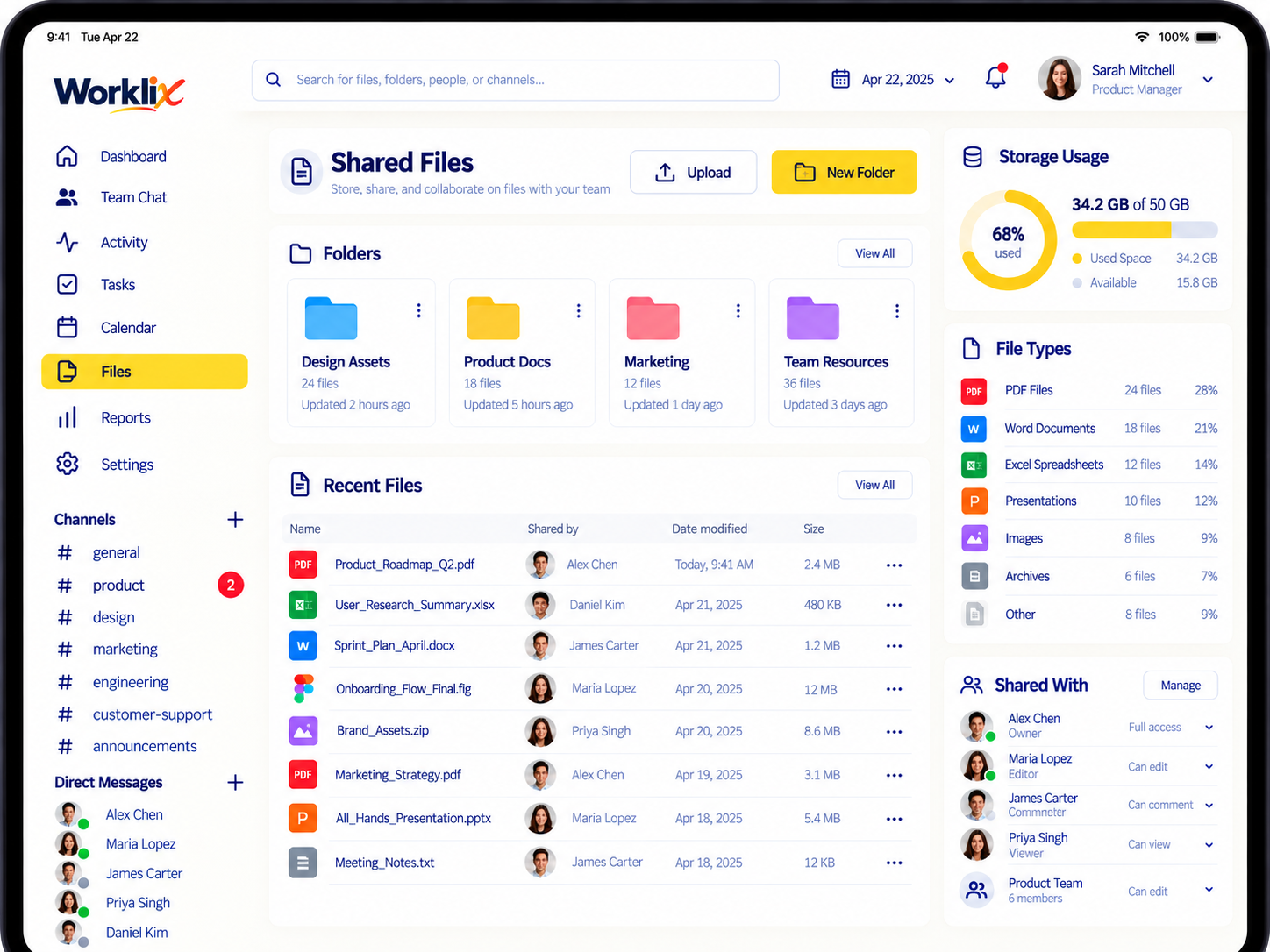
Worklix shared files preview interface
Access that follows the file

Send files to the right peoplewithout opening them to everyone.

File access should feel obvious at a glance. Show who can review, who can edit and where the boundary stops before the file leaves the original team context.

DOC
Support-handoff.docxShared by Operations · 4.2 MB
OwnerDerek
Review stateReady
WorkspaceOperations
Sharing ruleOnly teams attached to this handoff can open the file. External access stays closed unless an admin changes the boundary.
SUP
Support TeamView + download
Allowed
OPS
OperationsEdit + replace
Edit
EXT
External usersNo workspace access
Blocked
Workspace boundaryAccess stops here unless the sharing rule changes.
Know what is still moving

See upload and review statuswithout asking for another update.

Progress signals make large uploads, proofs and handoffs easier to follow from the moment a file starts moving.

VID
Product-demo.mp4Uploading · 438 MB
72%
PSD
Homepage-final.psdReady for design review
Ready
DOC
Client-handoff.docxWaiting on approval
2/4
A cleaner shared-file history

Find the file againafter the conversation moves on.

Shared files should remain useful after the original message disappears up the thread. Keep recent files, owners and workspace context easy to scan.

128shared this week
24active reviews
9teams sharing
FileShared inOwnerStatus
PDFBrand-guidelines.pdfMarketingAmandaCurrent
PNGLanding-proof.pngDesignLenaReview
DOCSupport-SOP.docxSupportRaviApproved
XLSCoverage-plan.xlsxOperationsDerekCurrent
File Sharing FAQ

Share files with less frictionand better context.

Make shared documents and proof files easier to review, easier to find and easier to control.

What kinds of files can teams share in Worklix?

Worklix is built for practical team sharing, including documents, images and other work files that need context, previews and follow-up.

Can file visibility be limited by team or role?

Yes. Files can stay visible only to the teams or workspace roles that actually need them.

Why does file context matter?

Because the message, review notes and next action often matter as much as the file itself. Keeping them together speeds up follow-up.

Can file sharing support approvals and collaboration?

Yes. Teams can use previews, comments and shared visibility to move a file from upload to review more cleanly.

One connected product

Keep team file sharinginside one clearer workspace.

Share, review and manage important files without losing the workflow around them.